Forggith Pharmaceuticals
20+ measures
DAX measures behind revenue, targets, year to date and same period last year, sliced by team, product and place.
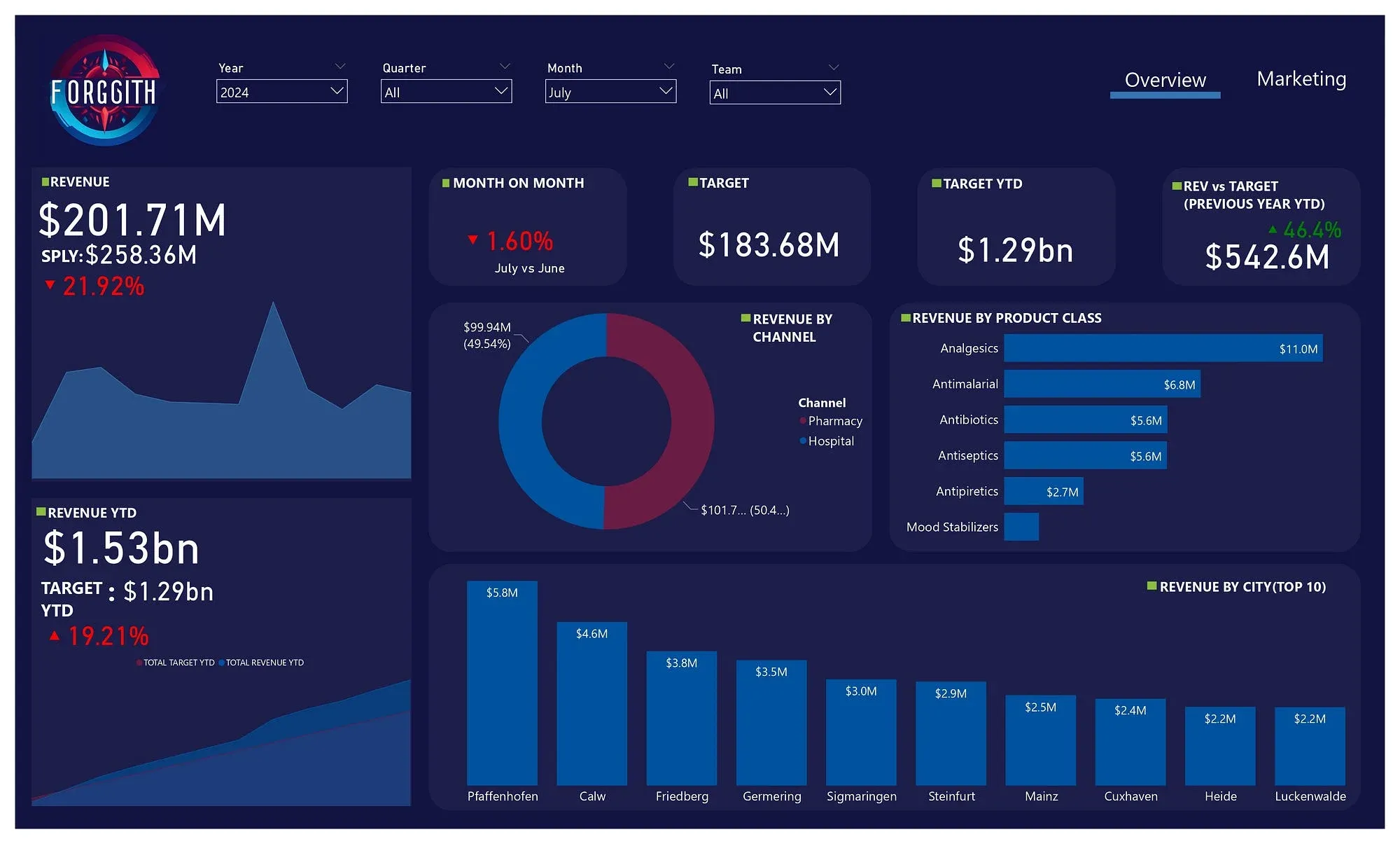
A two-page sales and marketing report for a German drug manufacturer that sells through distributors, built to a client brief in the Foresight BI Power BI developer internship.
The brief
Forggith makes medicines in Germany and sells only to distributors, who send in their sales each month on Forggith’s template. Its sales and marketing team needed two reports from that data. Sales performance: revenue, year to date, previous year to date, same period last year, target, and revenue by location, channel and product class. Marketing performance: revenue and volume against target, for each sales representative, team and product.
How it was built
The internship ran as a real engagement, with each stage submitted and approved before the next. I wrote a data dictionary, sketched both pages as mockups, then built the model:
- merged the channel and sub-channel tables so sales join on one key,
- appended the 2022 and 2023–2025 sales sheets and removed duplicates into one fact table,
- unpivoted the yearly target columns and built a date from month and year,
- added a calendar table and related everything in two star schemas.
The measures
More than twenty DAX measures carry the report. Two of them:
TOTAL REVENUE YTD = CALCULATE([TOTAL REVENUE], DATESYTD('Calendar'[Date]))

REVENUE VS TARGET =
VAR _val = [TOTAL REVENUE] - [TOTAL TARGET]
VAR pct = ([TOTAL REVENUE] / [TOTAL TARGET]) - 1
VAR _sign = IF(_val > 0, "▴", "▾")
VAR _pct = IF(pct < 0, pct * (-1), pct)
RETURN _sign & FORMAT(_pct, "#0.0%")
The second one returns the arrow and the percentage as one formatted string, so a single card shows both, without extra visuals. I also wrote DAX for conditional formatting, which became a habit after this project.
The report
Two pages, Overview and Marketing, in the colours of the company logo. The report passed assessment and I completed the internship with a certificate.
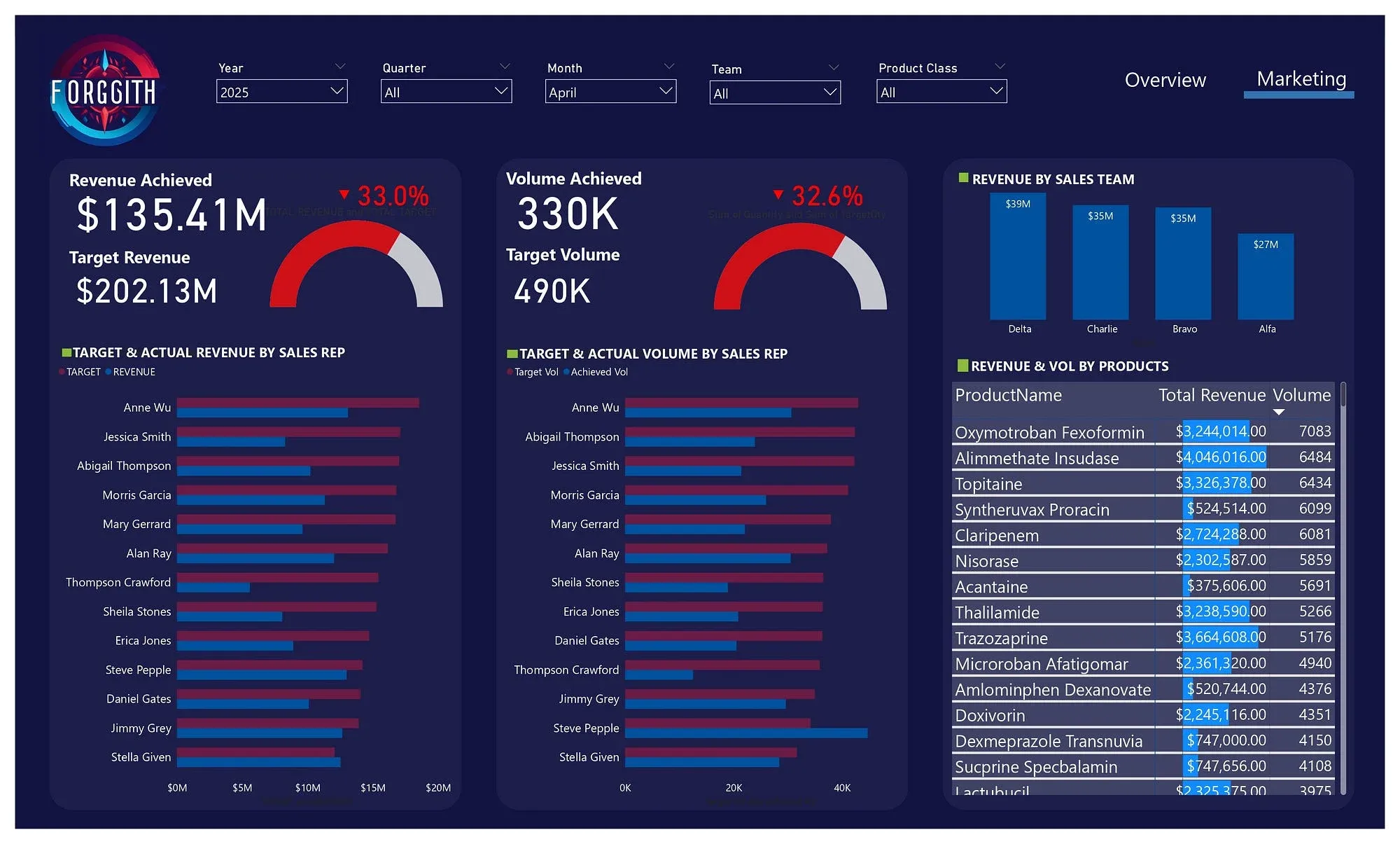
The live dashboard
The report as published in Power BI. Use the arrows at its foot to move between pages.