RFM Customer Segmentation
11 segments
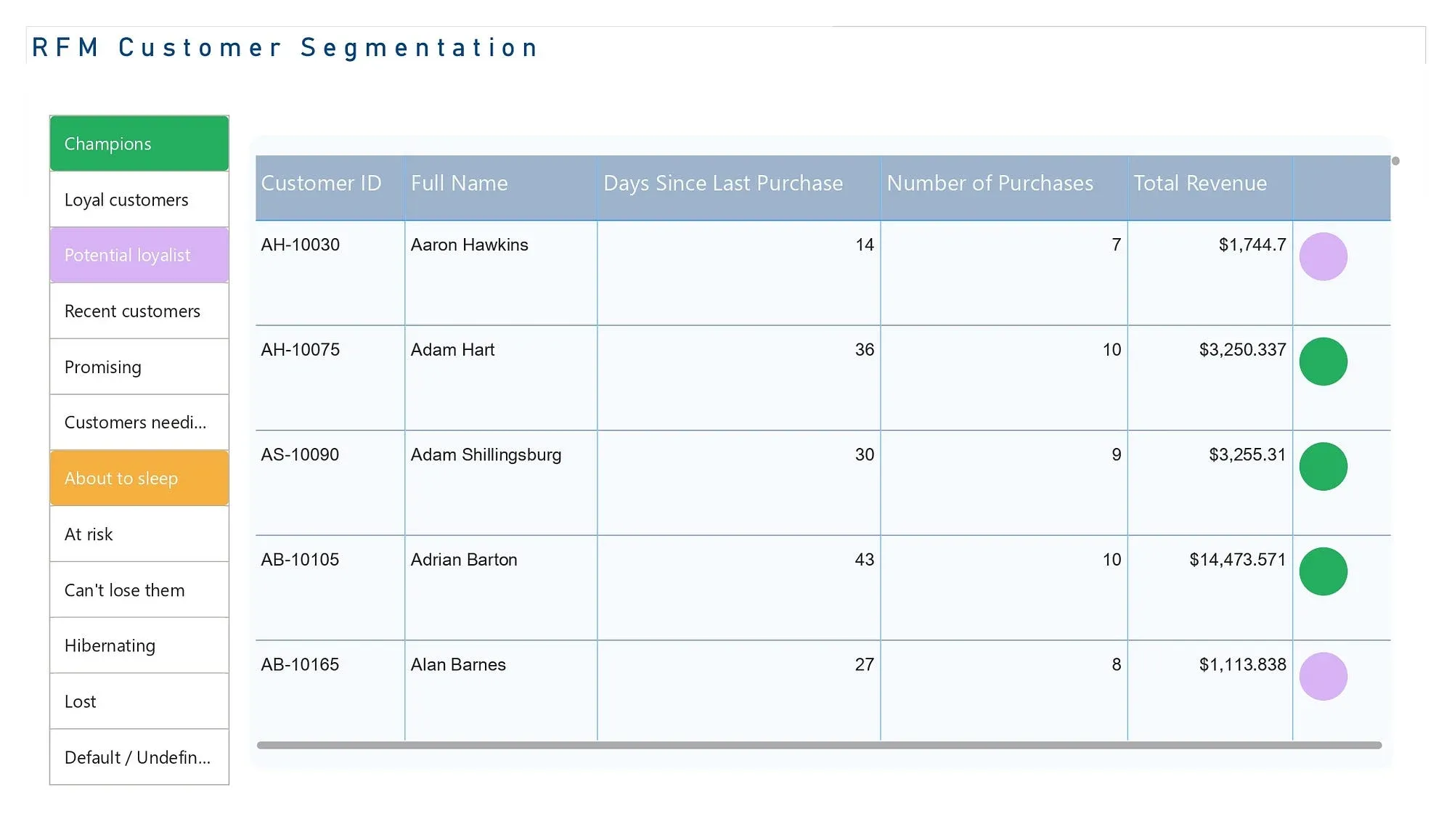
Every customer scored 1 to 5 on recency, frequency and money, then placed in one of eleven segments, from Champions to Lost.
RFM segmentation built step by step in Power BI. Three DAX measures, percentile scores and a lookup sort every customer into a segment a marketing team can act on.
Why not just rank by revenue
A “top customers by revenue” list rewards one big purchase. Customer A spent $575 once, 150 days ago. Customer B has spent $450 over eight orders, the last one ten days ago. Revenue puts A first, but B is the one still buying. RFM asks three questions instead of one: how recently, how often and how much.
It is the same approach I used at Qucoon to find the customers a microfinance bank was most likely to lose.
The build
Three measures give every customer their raw values:
Recency = DATEDIFF(CALCULATE(MAX(Orders[Order Date])), TODAY(), DAY)
Frequency = CALCULATE(DISTINCTCOUNT(Orders[Order ID]))
Monetary = CALCULATE(SUM(Orders[Sales]))
A calculated table summarises them per customer. Calculated columns then score each value from 1 to 5 by percentile, where a low recency scores high:
R = SWITCH(TRUE(),
    'RFM table'[Recency] <= PERCENTILE.INC('RFM table'[Recency], 0.20), 5,
    'RFM table'[Recency] <= PERCENTILE.INC('RFM table'[Recency], 0.40), 4,
    'RFM table'[Recency] <= PERCENTILE.INC('RFM table'[Recency], 0.60), 3,
    'RFM table'[Recency] <= PERCENTILE.INC('RFM table'[Recency], 0.80), 2,
    1)
The three scores join into one code such as 545, and a lookup against a segment table turns the code into a name.
Reading the result
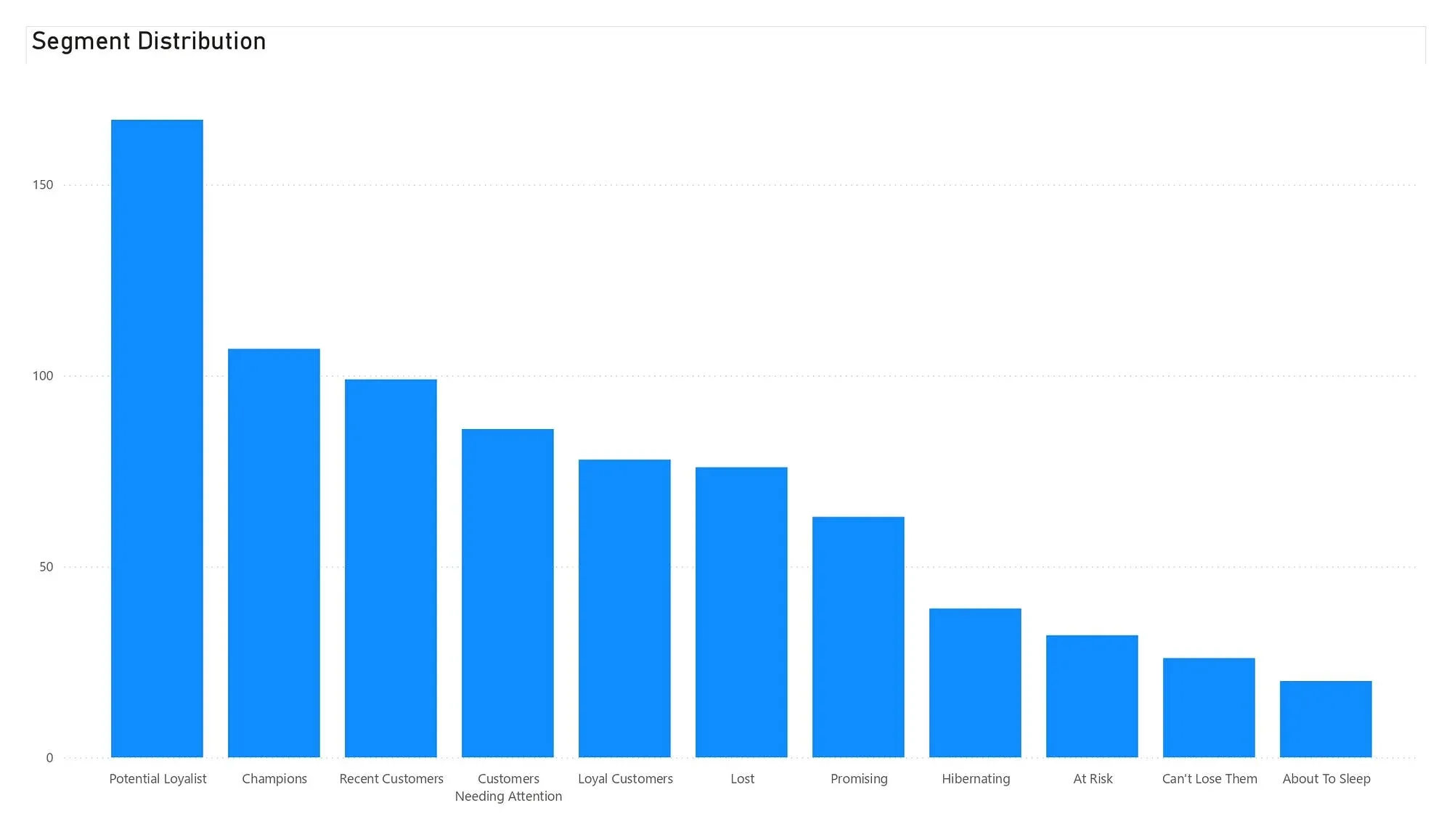
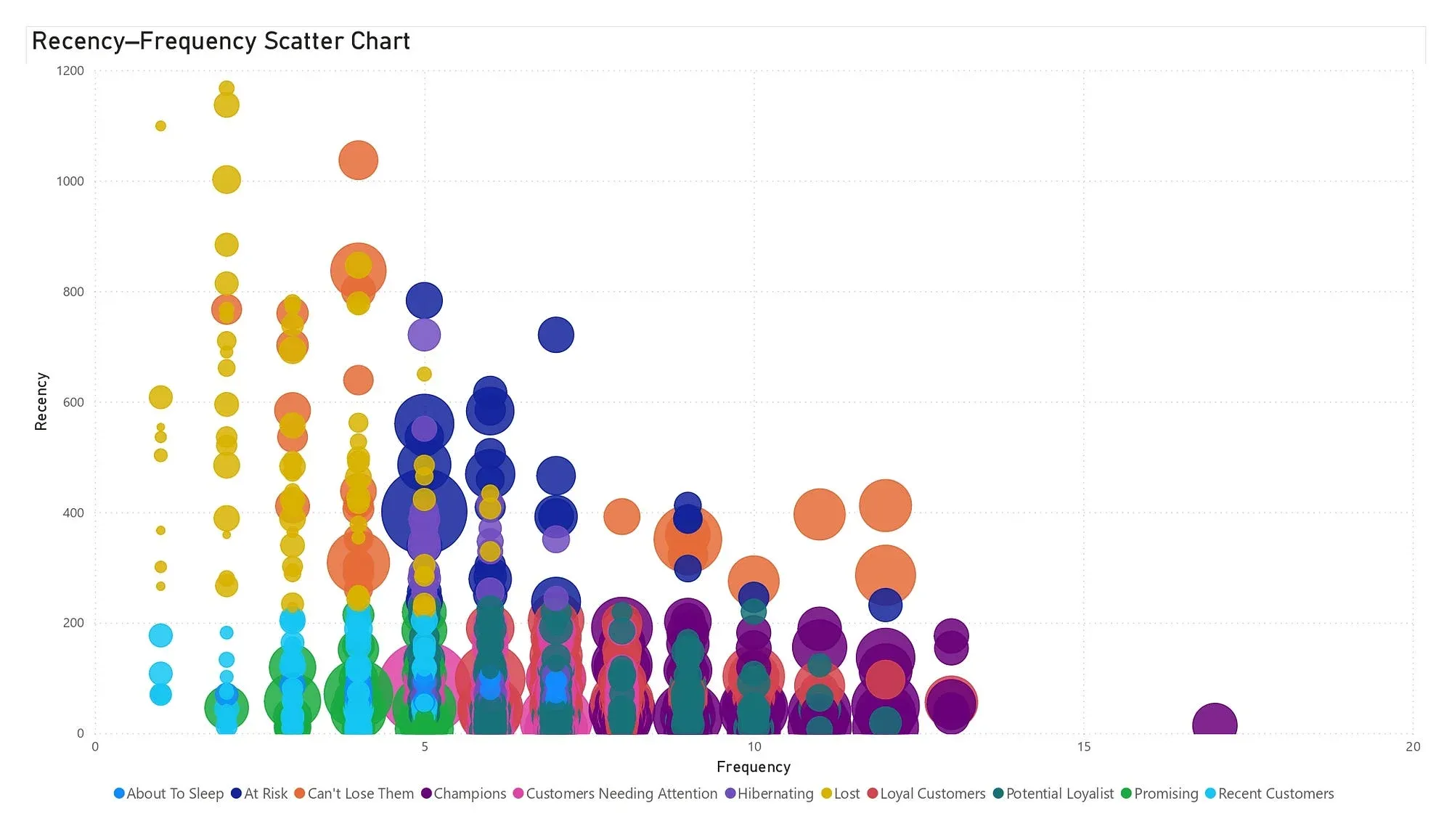
The segment chart shows where the customer base sits. The scatter of recency against frequency, sized by money, shows the customers behind each segment. Champions, Loyal Customers and Potential Loyalists get the loyalty work. At Risk and Can’t Lose Them get targeted win-back campaigns. Hibernating and Lost get low-cost reactivation. Refreshed with new orders, the model shows customers moving between segments over time.